Workflow
This is how work flows in NodiTeam
All client work goes through the same steps. NodiTeam carries the data from one step to the next, so you never retype anything.
01
Intake
Work arrives as a quote or a client request
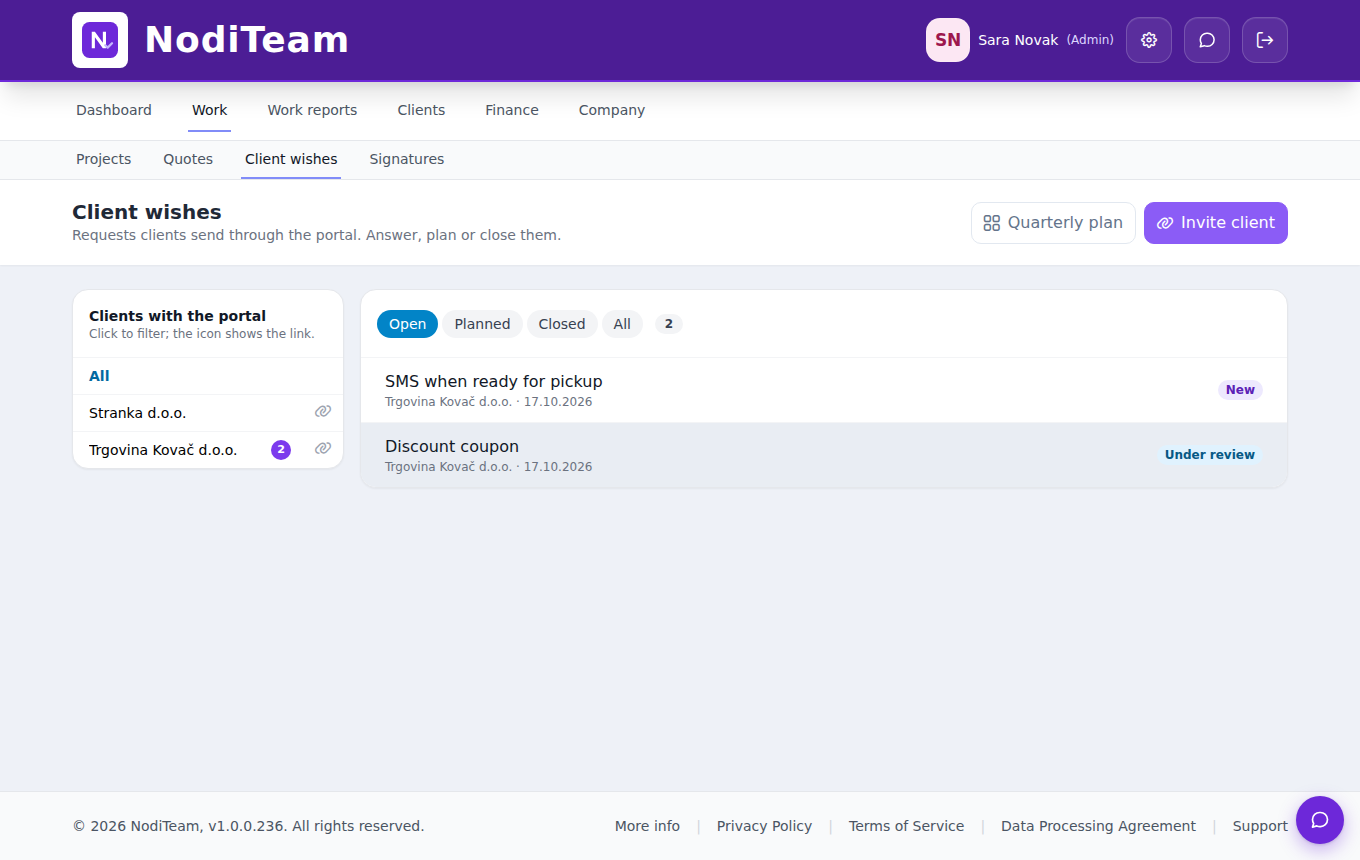
Larger jobs start with a quote. Once the client accepts it via a link, it becomes a project with tasks and hour estimates. Clients submit smaller requests themselves on the client portal.
- A quote turns into a project with tasks
- The hour estimate carries over to the task
- Client portal: each client sees only their own requests
- You plan requests into a quarter, the client sees “Planned · Q2”
02
Plan
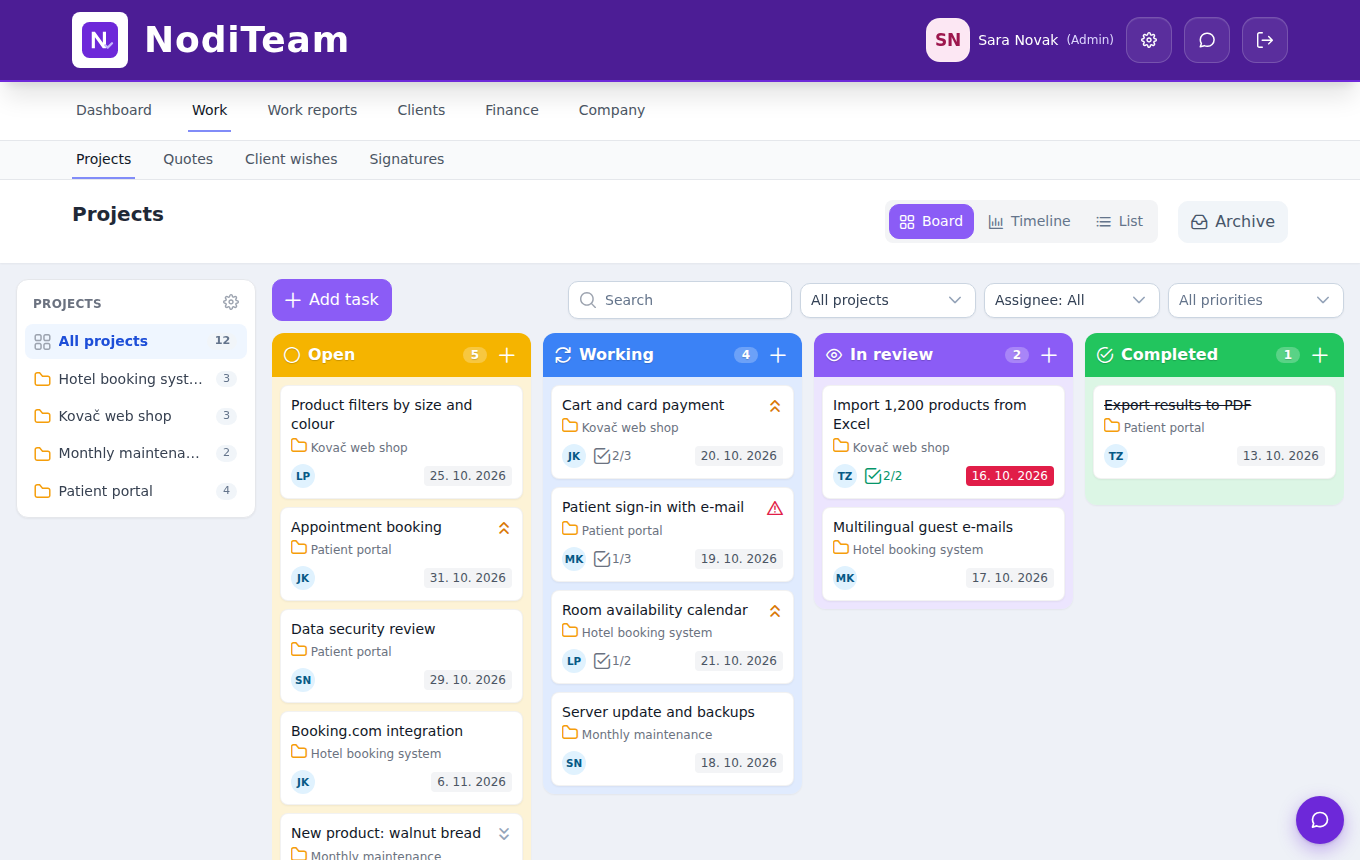
The task gets an assignee, due date and priority
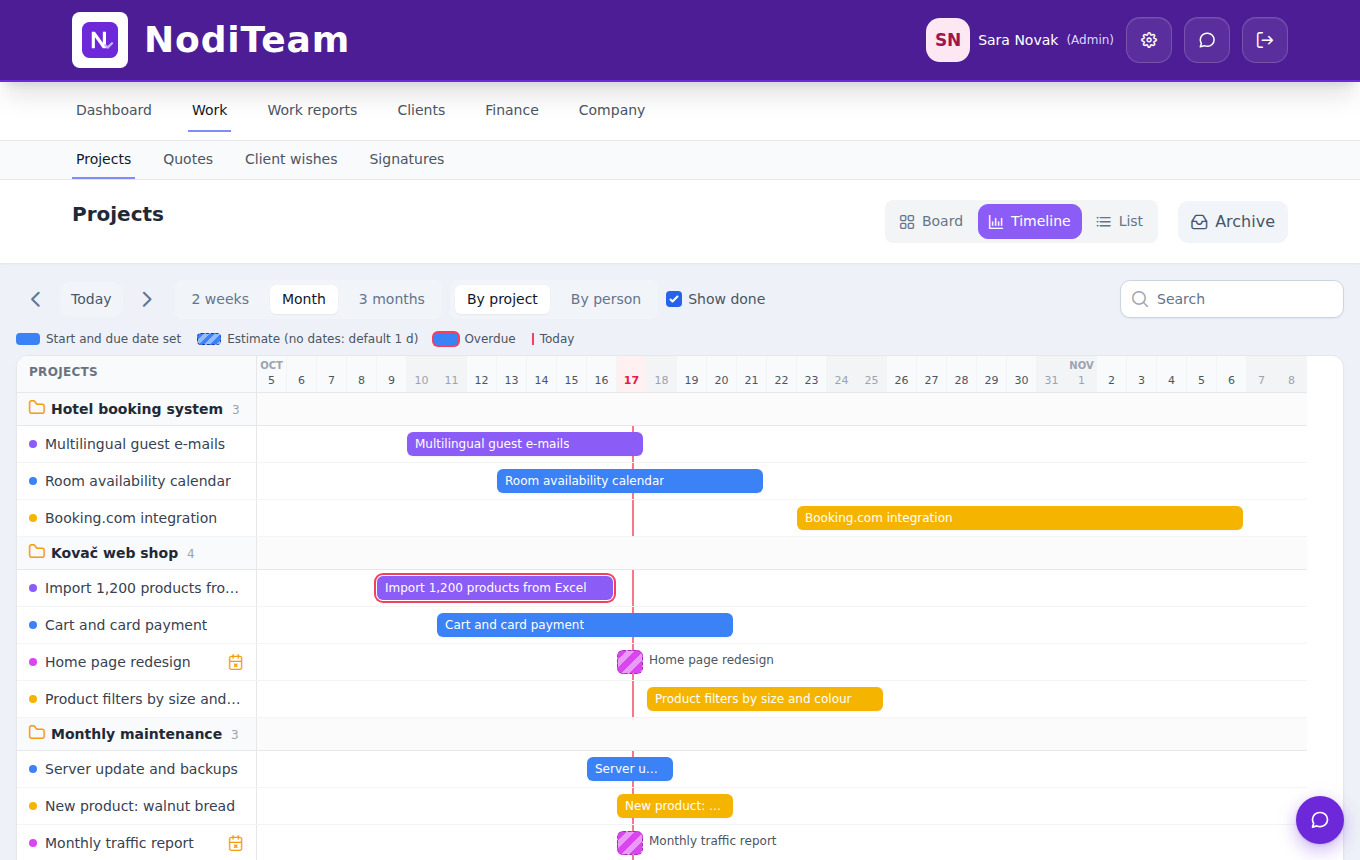
Lay out the work on the board. Every task has assignees, a start and due date, a priority and a project. The timeline shows whether anything overlaps and where delays will happen.
- Several assignees on the same task
- Priorities: low, normal, high, urgent
- Timeline for 2 weeks, a month or 3 months
- View by project or by person
03
Work
The team works and logs hours on the task
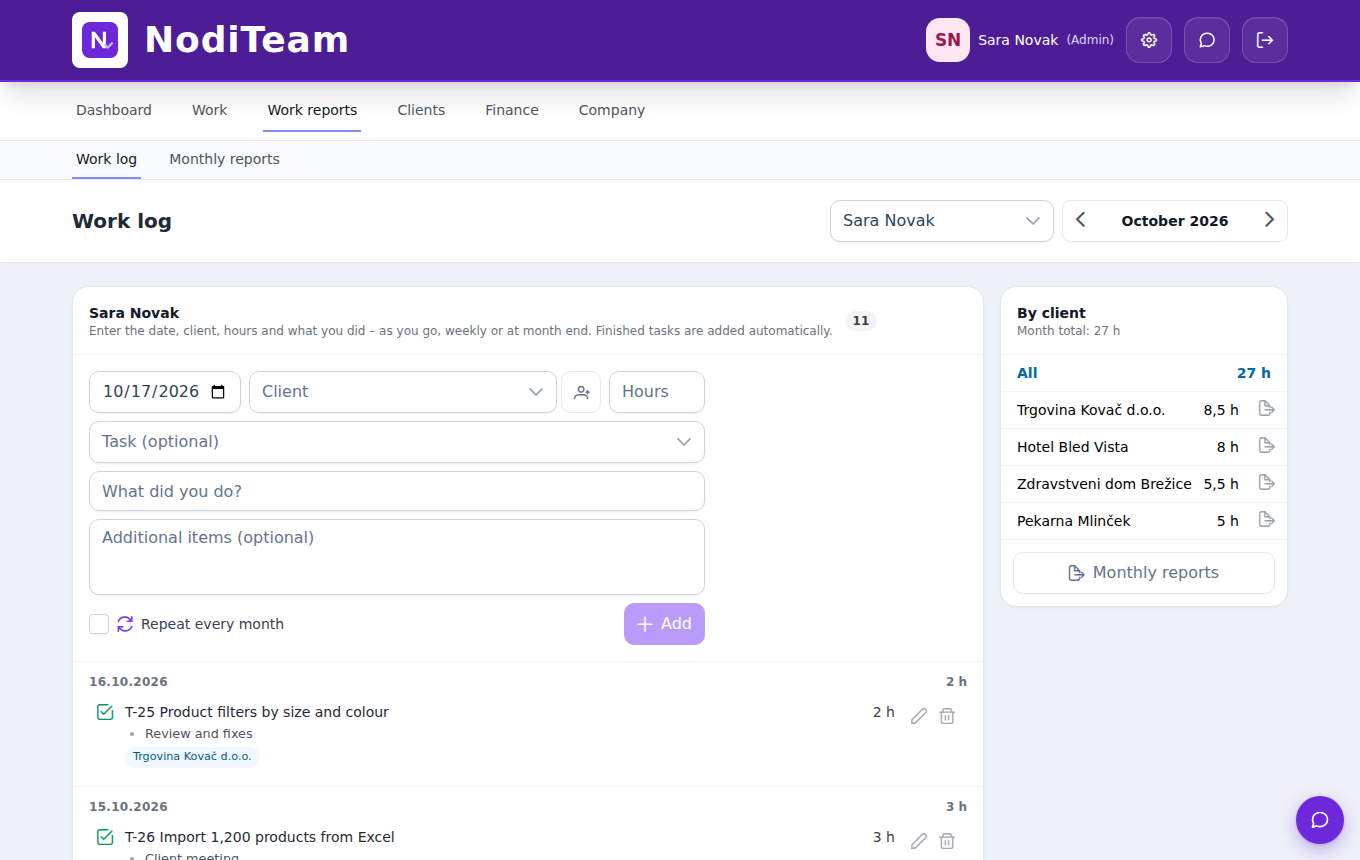
Everyone sees My work on the dashboard. The task holds the description, subtasks, attachments and comments. Hours go into the work log against the task, as you go or at the end of the week.
- Subtasks with progress on the card
- Attachments and comments on the task
- Work log with hours by client and task
- Log hours straight from Telegram
04
Review
Finished work goes into review, approved work is closed
When the assignee marks a task as finished, it moves to the In review column. The lead reviews it and either closes it or sends it back. A finished task is automatically recorded in the assignee’s work log.
- In review column on the lead's dashboard
- Closed tasks aren't lost, they stay in the archive
- If the task came from a request, the client is notified
05
Billing
Hours become a report and an invoice
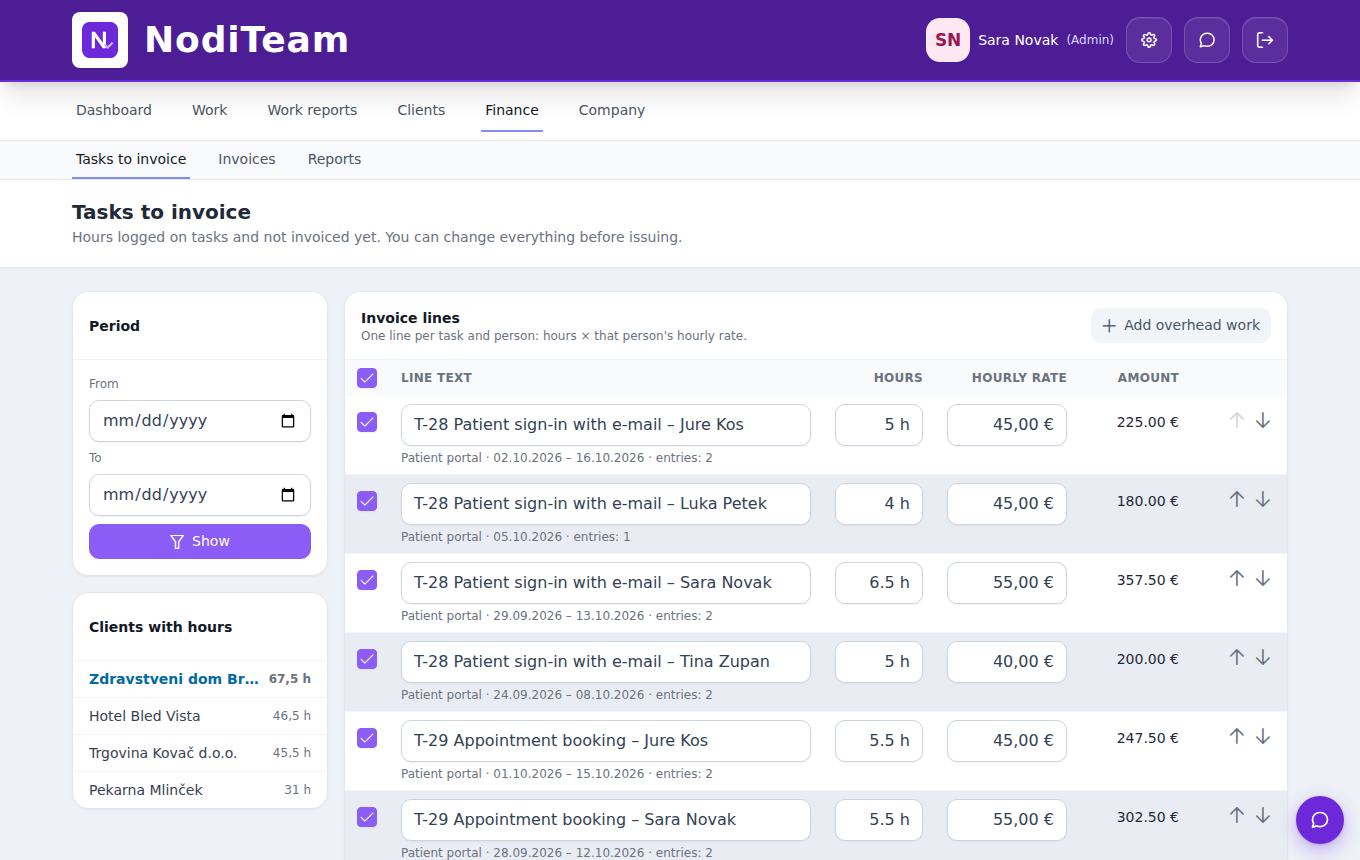
At the end of the month, prepare a report of work done for each client (PDF, Word or Excel). Tasks to invoice lists hours by task and person with hourly rates: check them and issue the invoice.
- Monthly client report in three formats
- Hours × each person's hourly rate
- Every entry is invoiced only once
- Fiscalised invoice (FURS) or a draft in Minimax
And then? Reports show how you worked
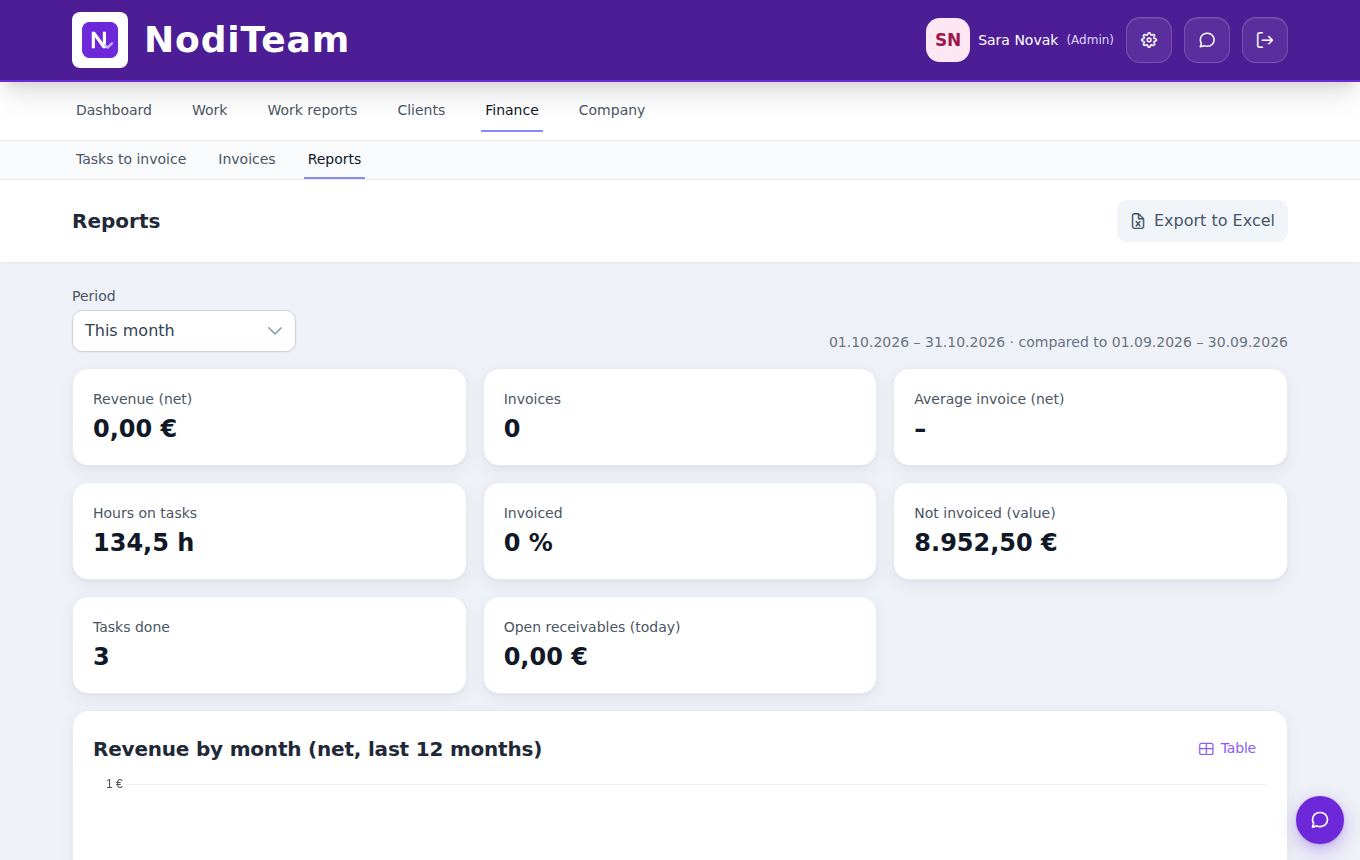
Task reports show hours by project against the estimate, hours by person and what hasn’t been invoiced yet. So you know which estimates were too low and which client owes you the most hours.
Try the workflow on your own project
14 days free. Open a project, add a few tasks and invite your team.